
Minecraft Nether Seed Map & End Guide
To view a Minecraft Nether seed map on mcseedmap.dev, explore the Nether and End dimensions for any world seed. With a single click on the dimension dropdown, you can switch away from the Overworld to inspect Nether Fortresses, Bastion Remnants, and End Cities directly in your browser.
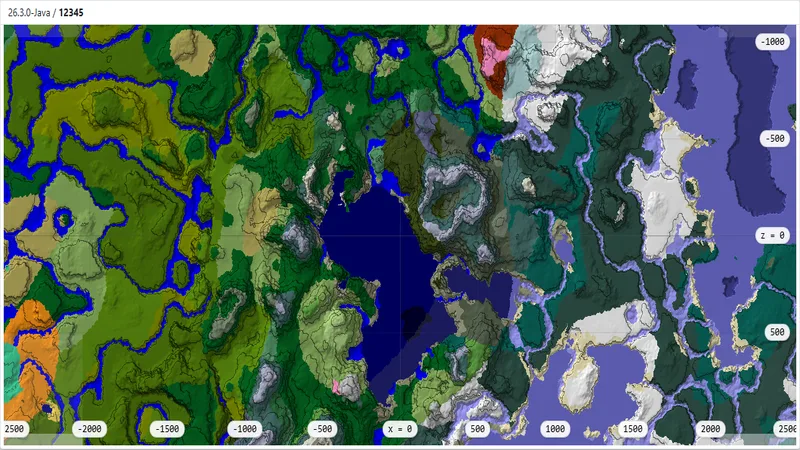
Switching Dimensions to the Nether and End
To change your active map dimension from the Overworld to other realms:
- Locate the Dimension dropdown menu situated in the top navigation toolbar.
- Click the dimension icon to open the selector menu.
- Select Nether (-1) or The End (1) from the list.
- Alternatively, open the Seed and version tab under the map canvas (under the map frame on a computer and in the scrolling tab bar on a phone) and select your target dimension radio option.
The viewer updates immediately without reloading the web page, retaining your current seed and edition settings while calculating the new dimension layout.
Mapping Nether Biomes and Fortresses
When exploring the Nether on mcseedmap.dev, the canvas renders distinct color shading for all five Nether biomes:
- Nether Wastes
- Crimson Forest
- Warped Forest
- Soul Sand Valley
- Basalt Deltas
To locate key landmarks in the Nether, open the Markers tab on the bottom toolbar. Enable specific structure icons including:
- Nether Fortress: Marked with a dark red brick tower icon.
- Bastion Remnant: Indicated by a blackstone piglin snout marker.
- Ruined Portal: Displaying obsidian portal frame icons.
Hovering your cursor over any fortress or bastion reveals its exact block coordinates in the top caption bar and in the floating tooltip. Coordinate rails on the bottom and right edges assist in measuring relative distances across the fiery dimension. Nether fortresses and bastion remnants occupy a shared 27-chunk grid, spacing neighboring structures by at least 4 chunks. On any designated grid spot, the game picks a bastion remnant a little more often than a fortress (weight 3 against 2). Every Nether fortress features a blaze spawner, and its interior stalk rooms sprout nether wart atop soul sand.
Inspecting The End and End Cities
Switching to The End reveals outer islands and central island coordinates:
- The central island is located at coordinates [0, 0], with outer islands positioned across higher coordinates.
- Outer End islands expand outward in all directions beyond coordinate distance one thousand.
- End Cities appear as purple tower icons across the outer islands.
Across the first 1024 blocks from the End’s center, the territory consists entirely of the main island’s The End biome. End city structures generate strictly within the end highlands and end midlands biomes. Hover over any End City marker to check its coordinates and plan your path between island clusters.
Troubleshooting Dimension Navigation
If the Nether or End map fails to display as expected, check these common tips:
- Wrong dimension active: Check the dimension button in the top bar to make sure it displays the Nether or End icon rather than the grass Overworld block.
- Structure markers turned off: Open the Markers tab and make sure that checkboxes for Nether Fortress, Bastion Remnant, or End City are selected.
- Empty canvas between End islands: The canvas shows empty space between the central island and outer islands. Pan outward or zoom out to view the outer islands.
Learn more about locating landmarks in our Minecraft Seed Map Structure Finder Guide or explore edition options in our Seed Map Guide for Minecraft Java Edition.